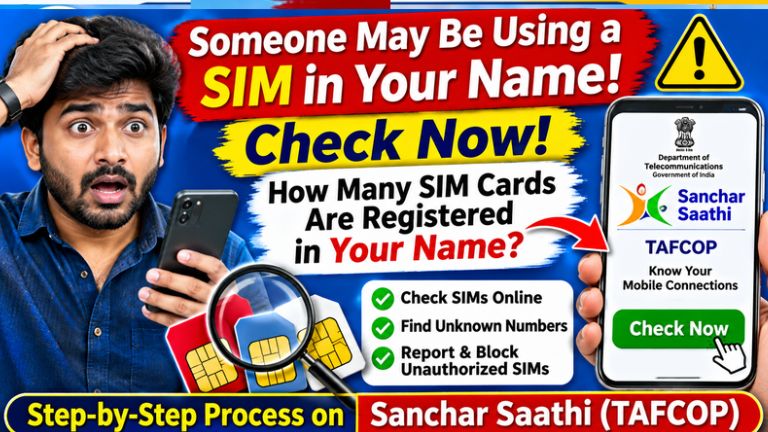
Sanchar Saathi Portal: How to Check How Many SIM Cards Are Registered in Your Name Using Aadhaar
Have you ever wondered whether someone is using a SIM card registered in your name without your knowledge? Your identity documents and personal information are valuable, and misuse of these details can create serious problems.
The Government of India provides an online facility called Sanchar Saathi (TAFCOP) that allows mobile users to check how many mobile connections are registered in their name. If you find an unknown mobile number, you can report it through the official portal.
This service is particularly useful for people who want to protect their identity and prevent unauthorized use of their personal information.
In this article, we explain how to check SIM cards registered in your name, how to report unknown numbers, and how to use the Sanchar Saathi portal online.
What Is the Sanchar Saathi TAFCOP Portal?
Sanchar Saathi is an initiative of the Department of Telecommunications (DoT), Government of India. It provides various services to help mobile users protect themselves from telecom-related fraud.
One of its important services is called Know Your Mobile Connections (TAFCOP).
Using this service, citizens can:
- Check mobile connections registered in their name.
- Identify unknown or unauthorized mobile numbers.
- Report connections they do not recognize.
- Request action on unnecessary mobile connections.
- Help prevent misuse of their identity documents.
The service is available online, so users can check their mobile connections using a smartphone or computer.
Why Should You Check SIM Cards Registered in Your Name?
Many people purchase SIM cards from mobile shops, roadside vendors and other retailers. During the registration process, identity verification is required.
However, if your identity information is misused or an unauthorized connection is activated using your details, you may face unwanted problems.
Some possible risks include:
- Someone using a mobile connection registered in your name without your permission.
- Your identity being misused for fraudulent activities.
- Receiving unwanted legal or police inquiries relating to an unknown connection.
- Your personal information being used without your knowledge.
- Difficulty identifying unauthorized mobile connections.
Therefore, checking your registered mobile connections periodically is a useful digital safety practice.
How to Check How Many SIM Cards Are Registered in Your Name Online?
You do not need to visit a mobile network operator’s office just to view your registered connections. You can use the official Sanchar Saathi website.
Follow these simple steps:
Step 1: Visit the Official Sanchar Saathi Website
Open Google on your mobile phone or computer and search for Sanchar Saathi TAFCOP.
Alternatively, directly visit the official website:
https://tafcop.sancharsaathi.gov.in
Make sure you are accessing the official government website.
Step 2: Enter Your Mobile Number
On the relevant service page, enter your currently active mobile number.
You may be asked to complete a captcha verification before proceeding.
Step 3: Verify Your Mobile Number Using OTP
Click the option to request an OTP.
You will receive a One-Time Password (OTP) on your registered mobile number.
Enter the OTP on the website to complete the login process.
Never share this OTP with anyone.
Step 4: Check Your Registered SIM Cards
After successful verification, the portal will display mobile connections associated with your identity, as available in the Department of Telecommunications’ records.
Carefully check the displayed mobile numbers.
Look for any number that you do not recognize or that you are no longer using.
Step 5: Report an Unknown Mobile Number
If you find a mobile number that does not belong to you, select the appropriate reporting option.
Depending on the portal interface, you may see options such as:
- Not My Number
- Not Required
- Required
Choose the appropriate option for the number you want to report.
Submit your request and save the acknowledgement or reference number for future tracking.
Your request will be processed according to the Department of Telecommunications’ procedures.
What Happens After Reporting an Unknown SIM Card?
After you submit a report, the Department of Telecommunications and the concerned telecom service provider can take the necessary verification and action.
You may be able to check the status of your request using the acknowledgement number or the portal’s available tracking facility.
If a connection is found to be unauthorized, appropriate action can be taken under the applicable telecom rules.
Remember that submitting a report does not mean the number is immediately disconnected. The request may require verification and processing.
Documents and Details Required
To use the online facility, keep the following details ready:
| Details | Requirement |
|---|---|
| Active mobile number | Required |
| OTP verification | Required |
| Smartphone or computer | Required |
| Internet connection | Required |
| Aadhaar card upload | Not normally required just to check connections |
| Email address | Not generally required for the basic check |
The portal uses mobile OTP verification to provide access to the service.
Important Safety Tips While Buying a New SIM Card
Follow these precautions whenever you purchase a new SIM card:
- Purchase SIM cards only from authorized telecom retailers.
- Never share your Aadhaar OTP with unknown people.
- Do not allow anyone to use your identity documents without a valid reason.
- Verify your identity during the official SIM activation process.
- Avoid purchasing pre-activated SIM cards from unknown sellers.
- Check your registered mobile connections periodically.
- Report any suspicious mobile connection through the official portal.
These simple precautions can help protect your identity and mobile connections.
Official Website to Check SIM Cards Registered in Your Name
| Service | Official Link |
|---|---|
| Sanchar Saathi Portal | https://sancharsaathi.gov.in |
| TAFCOP – Know Your Mobile Connections | https://tafcop.sancharsaathi.gov.in |
| Department of Telecommunications | https://dot.gov.in |
| Cyber Crime Reporting Portal | https://cybercrime.gov.in |
Always use official government websites and avoid clicking suspicious links received through WhatsApp or SMS.
Frequently Asked Questions (FAQs)
1. How can I check how many SIM cards are registered in my name?
Visit the official TAFCOP website, enter your active mobile number, verify it using OTP and check the displayed mobile connections.
2. Is the Sanchar Saathi portal free?
Yes. The Sanchar Saathi mobile connection checking facility is provided free of charge by the Government of India.
3. Can I report an unknown SIM card online?
Yes. If you find a mobile number that you do not recognize, you can report it through the portal using the appropriate reporting option.
4. Do I need an Aadhaar card to check my SIM connections?
You generally do not need to upload your Aadhaar card for this basic service. You need an active mobile number to complete OTP verification.
5. Can I check SIM cards using my smartphone?
Yes. You can access the Sanchar Saathi website through a mobile browser or computer.
6. What should I do if I find an unknown number?
Select the appropriate reporting option on the portal and submit your request. Keep the acknowledgement number for reference.
7. Can I check SIM connections registered in another person’s name?
The service requires mobile OTP verification. You should only access and check connections using a number you are authorized to verify.
click hear
Protecting your identity and mobile connections is important in today’s digital world. The Government of India’s Sanchar Saathi TAFCOP portal makes it easier to check mobile connections associated with your identity.
Visit https://tafcop.sancharsaathi.gov.in, verify your mobile number using OTP and check the available connection details. If you discover an unknown mobile number, report it through the official portal.
Share this information with your friends and family so they can also check their mobile connections and stay safe from identity misuse.