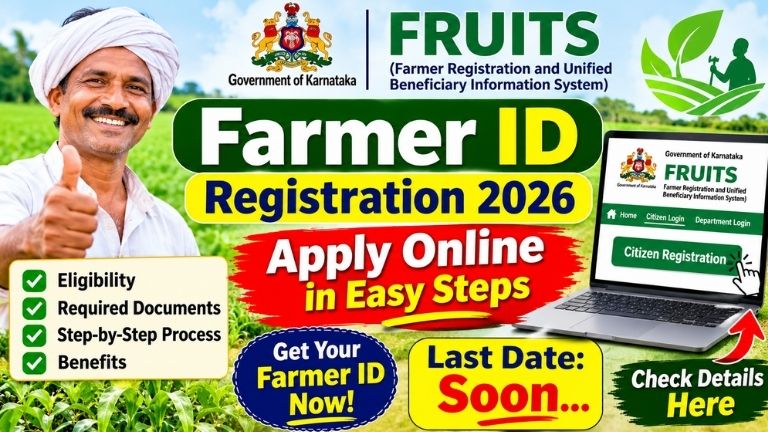
How to Apply for Farmer ID 2026: Farmer Registration Online, Required Documents and Step-by-Step Process
Farmers in Karnataka can register through the FRUITS (Farmer Registration and Unified Beneficiary Information System) portal to obtain a unique Farmer ID, also known as the Farmer Identification Number (FID). This registration helps the government maintain verified farmer information, including Aadhaar details, land records, bank information and agricultural activities.
The Farmer ID is useful when applying for various government agriculture schemes, subsidies and other farmer welfare benefits. Farmers can complete the registration process through the official FRUITS website or get assistance from authorised government service centres and agriculture department offices.
In this article, you will learn how to apply for a Farmer ID online, the documents required, eligibility conditions and how to complete farmer registration.
Farmer ID Registration 2026 – Overview
| Details | Information |
|---|---|
| Registration name | FRUITS Farmer Registration |
| Farmer ID | Farmer Identification Number (FID) |
| State | Karnataka |
| Department | Government of Karnataka |
| Registration mode | Online and assisted registration |
| Official portal | fruits.karnataka.gov.in |
| Registration | One-time registration |
| Main purpose | Access to agriculture-related government benefits |
The Karnataka government developed the FRUITS system to create a unified database of farmers. It connects farmer information with government databases such as Aadhaar and Bhoomi land records. This helps departments verify information and reduce repeated document submissions.
What Is a Farmer ID?
A Farmer ID is a unique identification number linked to a farmer’s registered details. In Karnataka, this identification is generated through the FRUITS portal.
The system stores important information such as the farmer’s personal details, Aadhaar authentication, landholding information, bank details and agricultural activities. The registered information can be used by agriculture and other related departments when providing eligible government services.
According to the National e-Governance Division, FRUITS registration is designed as a one-time process, and the same registration can be used across participating agriculture-related departments.
Benefits of Farmer ID Registration
Farmers can receive several benefits from completing their FRUITS registration.
- Access to government schemes: Registered farmer information can be used by agriculture and allied departments to identify eligible beneficiaries.
- Subsidy-related services: The database supports the delivery of eligible agriculture, horticulture and other department benefits.
- Minimum Support Price (MSP): FRUITS information is used in certain crop procurement and MSP-related processes.
- PM-KISAN-related services: Farmer information is used in the implementation of PM-KISAN and other agricultural benefit programmes. Scheme-specific eligibility and registration requirements still apply.
- Land information: Farmers can view relevant registered landholding and crop survey information.
- Bank and DBT information: The system supports verification and direct benefit transfer-related processes.
- Weather information: Registered farmers can access location-related weather information and forecasts through available FRUITS services.
Registration does not automatically guarantee approval or payment under every government scheme. Farmers must meet the eligibility conditions of the individual scheme.
Who Can Apply for Farmer ID?
Farmers involved in agricultural and related activities can register through the FRUITS system.
The registration system covers:
- Farmers who own agricultural land.
- Farmers involved in crop cultivation.
- Farmers engaged in horticulture.
- Dairy and poultry farmers.
- Fisheries-related beneficiaries.
- Sericulture and other agriculture-related activities.
- Eligible forest-dwelling beneficiaries under the Forest Rights Act.
Importantly, the FRUITS system is not limited only to agricultural landowners. Certain people involved in allied farming activities may also be eligible for registration. Their details will be verified according to the applicable registration rules.
Documents Required for Farmer Registration
Before starting the registration process, keep the following information and documents ready:
- Aadhaar card.
- Aadhaar-linked mobile number for authentication, where required.
- RTC or Pahani land record, if applicable.
- Bank passbook or bank account details.
- Ration card details, if requested.
- Residential address details.
- Survey number and land information, if applicable.
- Other supporting documents requested by the registration authority.
The exact documents required may vary depending on the farmer’s category and registration details. Land information may be verified electronically through Karnataka’s Bhoomi database.
How to Apply for Farmer ID Online?
Farmers can begin the registration process through the official FRUITS portal. Follow these steps:
Step 1: Visit the official website
Open the Karnataka FRUITS website:
https://fruits.karnataka.gov.in/
Always use the official government website. Avoid entering Aadhaar or bank details on unknown websites.
Step 2: Open Citizen Login
On the homepage, find and select the Citizen Login option. This will take you to the citizen login page.
Step 3: Select Citizen Registration
On the login page, look for the Citizen Registration option. Select it to begin the new registration process.
Step 4: Enter your mobile number and complete authentication
Provide the required mobile number and follow the authentication instructions displayed on the portal. Complete Aadhaar-based e-KYC or OTP verification if requested.
Step 5: Fill in personal information
Enter your name and other personal details carefully. Make sure the information matches your Aadhaar and supporting documents.
Step 6: Enter address and farmer details
Provide your district, taluk, village and residential details. Select the appropriate farmer or agricultural activity category according to the options available.
Step 7: Provide land details
If you own agricultural land, enter the required survey number and land information. The portal may retrieve and verify details through the Bhoomi land records database.
Farmers involved in eligible allied activities without agricultural land should follow the applicable registration category and instructions.
Step 8: Enter bank account information
Provide the requested bank account details. Check the account number and other information carefully to avoid errors in future benefit-related transactions.
Step 9: Review and submit
Check all the information entered in the application. Correct any mistakes before submitting the registration request.
Step 10: Complete verification and obtain your Farmer ID
After submission, the details may be checked and approved through the applicable verification process. Once registration is completed, your Farmer ID (FID) will be generated or made available through the system.
Save your Farmer ID and registration details for future use.
Note: The portal’s screens and authentication requirements may change. Follow the instructions displayed on the official website during registration.
How to Register for Farmer ID Offline?
Farmers who are not comfortable using mobile phones or computers can seek assistance through government service centres.
You can visit:
- Your nearest Grama One service centre.
- The local Agriculture Department office.
- The Raitha Samparka Kendra or Farmer Contact Centre.
- The relevant agriculture or allied department office.
Carry your Aadhaar card, land records (if applicable), bank details and mobile phone. Ask the staff to help you complete FRUITS farmer registration.
The Karnataka FRUITS system also supports registration through participating government departments and assisted service channels.
Important Things to Check After Registration
After receiving your Farmer ID, verify that your name, Aadhaar details, land information and bank account details are correct.
If your land details are missing or incorrect, contact the concerned Revenue or Agriculture Department office for guidance. If your mobile number or bank information needs updating, use the applicable official update process.
Keep your Farmer ID safe because it may be required when applying for agricultural services and government benefits.
Frequently Asked Questions (FAQs)
1. What is the official website for Farmer ID registration in Karnataka?
The official FRUITS portal is https://fruits.karnataka.gov.in/.
2. Is Farmer ID registration free?
Use the official government portal or authorised service centres and confirm any applicable service charges before proceeding. Do not pay unauthorised agents.
3. Can farmers register without owning agricultural land?
Certain people involved in allied activities such as dairy, poultry and fisheries may also be eligible. Registration depends on the applicable category and verification requirements.
4. Is Farmer ID registration a one-time process?
Yes. FRUITS is designed for one-time farmer registration. The same registration is intended to be used across participating agriculture-related departments.
5. Does having a Farmer ID guarantee PM-KISAN benefits?
No. Farmer ID registration alone does not guarantee PM-KISAN approval. Farmers must also satisfy the scheme’s eligibility and verification requirements.
6. Where can I get help with Farmer ID registration?
You can visit your nearest Grama One centre, Agriculture Department office or Farmer Contact Centre.
State-wise Farmer ID Registration Links – 2026
| State | Farmer Registration Portal | Apply Link |
|---|---|---|
| Telangana | AgriStack Farmer Registry | Click Here – Apply Online |
| Andhra Pradesh | AgriStack Farmer Registry | Click Here – Apply Online |
| Karnataka | FRUITS Farmer Registration (FID) | Click Here – Apply Online |
Farmer ID registration is an important step for farmers in Karnataka who want to access agriculture-related government services. Through the FRUITS portal, farmers can register their personal, land and bank details in a unified database. The registration process is designed to reduce repeated document submissions and help departments identify eligible beneficiaries.
Farmers are advised to complete their registration using the official FRUITS website or by visiting an authorised government service centre. Always verify your details and keep your Farmer ID safely for future use.