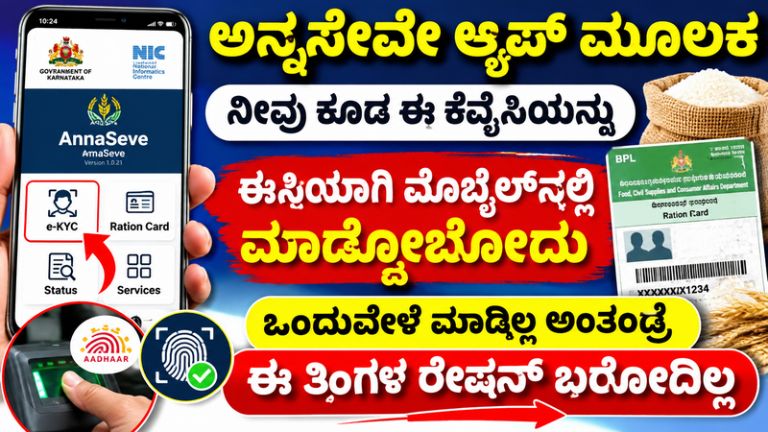
Anna Seve App: Complete Ration Card e-KYC at Home Using Your Mobile – Step-by-Step Guide
Karnataka ration card holders can now complete their e-KYC verification easily from home using the Anna Seve Mobile App. This facility allows eligible beneficiaries to verify their identity through Aadhaar-based face authentication without necessarily visiting a ration shop.
The Karnataka Food and Civil Supplies Department has introduced this facility to make the ration card verification process easier and reduce long queues at Fair Price Shops.
Beneficiaries who have not completed the required e-KYC verification should complete it before the government deadline to avoid possible disruption to their ration benefits.
What Is the Anna Seve App?
Anna Seve is an official mobile application developed for Karnataka ration card beneficiaries. It allows eligible family members to complete their ration card e-KYC using Aadhaar-based face authentication.
The application is published on Google Play Store under the developer name Director of e-Governance, Government of Karnataka.
According to the app’s official description, eligible family members must complete the prescribed verification. Completing e-KYC only for the head of the household may not be sufficient.
Karnataka Ration Card e-KYC Last Date
The Karnataka government has extended the ration card e-KYC deadline to November 10, 2026.
Beneficiaries can complete the verification through either of these methods:
- Using the Anna Seve mobile application.
- Visiting their nearest Fair Price Shop and completing verification through the department’s AHARA system.
Ration card holders are advised to complete the process before the deadline.
Documents Required for Anna Seve e-KYC
Keep the following details ready before starting the verification process:
- Karnataka ration card number.
- Aadhaar card of the beneficiary.
- Aadhaar-linked mobile number, where required.
- Smartphone with a working front camera.
- Internet connection.
- Updated Anna Seve application.
How to Complete Ration Card e-KYC Through Anna Seve App
Follow these steps to complete your e-KYC using your mobile phone.
Step 1: Download the Anna Seve App
Open Google Play Store on your smartphone and search for Anna Seve. Download the official application published by the Government of Karnataka.
Step 2: Install AadhaarFaceRD
Install the official AadhaarFaceRD application if required for Aadhaar face authentication.
Step 3: Open Anna Seve
Launch the Anna Seve application and select the Citizen or Self Login option, as available.
Step 4: Enter Your Ration Card Details
Provide your ration card number and other requested information.
Step 5: Verify Your Mobile Number
Complete the OTP verification if the application requests it.
Step 6: Select the e-KYC Option
Open the e-KYC section and select the eligible family member whose verification is pending.
Step 7: Complete Face Authentication
Follow the instructions displayed on your mobile screen. Keep your face clearly visible in front of the camera and complete the Aadhaar-based face verification.
Step 8: Check Your e-KYC Status
After successful authentication, check the application for the verification status. Make sure the process is completed successfully.
Is e-KYC Required for All Ration Card Family Members?
Yes. According to the official Anna Seve application description, every eligible family member included in the ration card must complete the prescribed e-KYC verification.
Only completing the head of the household’s verification may not be sufficient.
Therefore, beneficiaries should check the verification status of all eligible family members.
What Happens If You Do Not Complete e-KYC?
Ration card beneficiaries who are required to complete e-KYC should do so before the announced deadline.
Failure to complete the required verification may result in action under applicable government rules and could affect access to ration-related benefits.
Do not wait until the last day. Complete your verification as early as possible.
What If Anna Seve App Is Not Working?
Sometimes users may experience technical problems during face authentication or OTP verification.
Try the following solutions:
- Update the Anna Seve application.
- Check your internet connection.
- Allow the required camera permissions.
- Use sufficient lighting during face authentication.
- Restart your mobile phone and try again.
- Visit your nearest Fair Price Shop if online verification fails.
Official Anna Seve App Download Link
Eligible beneficiaries can download the application from the official Google Play Store.
App Name: Anna Seve
Developer: Director of e-Governance, Government of Karnataka
Download Link: https://play.google.com/store/apps/details?id=in.gov.karnataka.ahara.annaseva
Important Helpline Details
If you face any difficulties while completing e-KYC, contact the department using the support details listed on the official application page.
Toll-Free Helpline: 1800-425-9339
Email: [email protected]
Conclusion
The Anna Seve App provides Karnataka ration card beneficiaries with a convenient way to complete e-KYC using Aadhaar-based face authentication.
Eligible family members should check their verification status and complete the required process before November 10, 2026. If mobile verification does not work, they can visit their nearest Fair Price Shop for assistance.
Complete your ration card e-KYC on time to avoid possible interruptions to your ration benefits.